
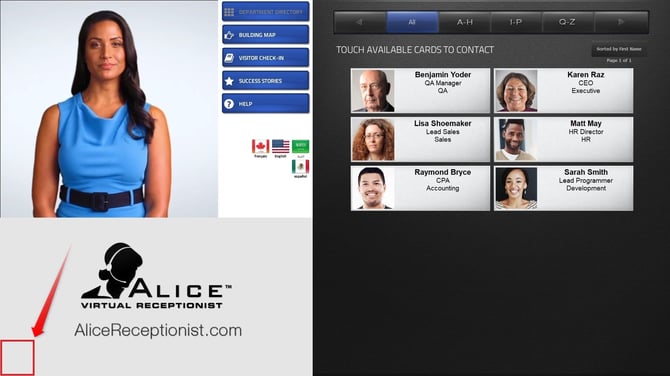
- Close the ALICE Directory software by tapping the bottom left corner of the kiosk screen five times.
- In Windows, open the ALICE Configuration application.
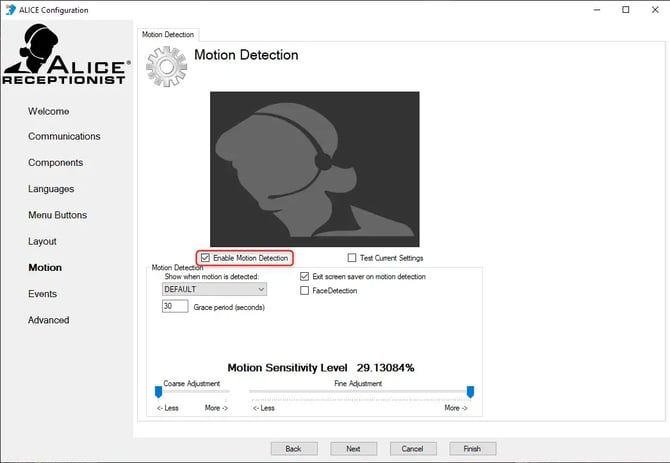
- Select the Motion section.
- Check or uncheck the "Enable Motion Detection" box selection to toggle the setting.
- Click Finish to save the settings.
The ALICE Directory will automatically relaunch with your updated motion detection settings applied.